
Curious Turtle’s new DaVinci Resolve training course. A detailed look at DaVinci’s powerful color grading tools.
DaVinci Resolve is called Hollywood’s most powerful color corrector. In Creative Color Grading with DaVinci Resolve, we will explore a series of topics to help you learn the most about the system. This is not just a training course to help you learn the how to use Resolve, but talks about why you might want to approach a shot or sequence in a particular way.
FOUR HOURS of premium DaVinci Resolve tutorials for Instant Download
Split over four hours and five topic areas (Working with RAW and Log-encoded footage, Fixing the Shot, Advanced Black and White Conversions, Creating the Horror Look, The American West), this fifteen tutorial series, goes deep in to some areas of Resolve you may not know existed, let alone used. It will show you a whole host of tools and techniques for you to add to your DaVince Resolve projects – to get fantastic fixes to technically challenging shots, or to find the perfect balance for creative looks across different genres of film.
Each tutorial contains a list of the main focus points, so you know what you can expect to learn, and can skip directly to the relevant parts on repeat viewings.
 01 Working with RAW and Log-encoded footage (17:44min)
CORE SKILLS : RAW color controls and a brief discussion of RAW. Why is Log encoding important? A brief look at LUTS. Working with Log Color Wheels.
 02 – Making the Most of Dynamic Range (11:17 min)
CORE SKILLS : Using log encoding to protect dynamic range . Floating point calculations . Using Soft Clip . Exposing twice using secondaries.
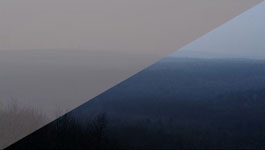 03 – Getting the most from Log encoded footage (10:45 min)
CORE SKILLS : Finding the tonal range . Setting up our ranges in Log Color Wheels . Setting up our ranges .
 04 – Fixing the Shot / Advanced Alpha Channels (15:48min)
CORE SKILLS : Correcting overall color cast . Correcting background and foreground separately including tips for pulling a clean key . Nit-picking – Deep fixes of alpha channels . Obscure options in the Key module . Mixing a complex alpha channel with the Key Mixer.
 05 – Fixing the Shot – Clean up and adding elements (17:09min)
CORE SKILLS : Planning the primary correction . Pulling a solid key and cleaning the alpha . Sizing – A look at the four ways of doing transforms . Duplicating or removing areas with Node Sizing.
 06 – Black & White / Simple Conversions plus the RGB Mixer (15:52min)
CORE SKILLS : Simple Black & White Conversion . Working with Versions . Seeing the RGB mixer on a color wheel . Using the Split Screen comparison tool.
 07 – Advanced Black & White Conversions (8:27min)
CORE SKILLS : Using pre-grades in B&W conversion. Extending the technique . Using Memories .
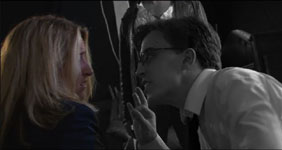 08 – Secondaries in Black & White Conversion (10:11min)
CORE SKILLS : Adding secondary highlights . Showing proof of concept . Applying multiple secondaries.
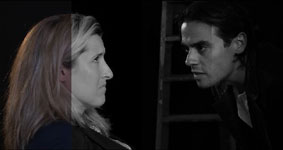 09 – Layer Nodes in Black & White Conversion (11:18min)
CORE SKILLS : Using layer nodes and composite modes in B&W conversions. Relighting using composite modes. Transitioning the light on. Using these techniques on non-optimal footage.
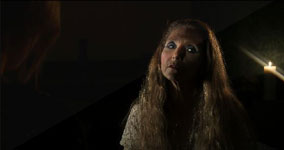 10 – Creating the Horror Look / Conventional Horror (12:36min)
CORE SKILLS : Starting up the primary correction. Defining the mood through color . Supplementing existing lighting. To track or not to track . Adding lighting streaks.
 11 – Creating the Horror Look / Asian Horror (16:42min)
CORE SKILLS : Finding the way with Primary CC . Dialling back a strong look . Defining shape with lighting . Mixing multiple Power Windows . When not to copy track data . Pushing light streaks to the next level using Splitters and Combiner Nodes.
 12 – Creating the Horror Look / Horror Comedy (23:36min)
CORE SKILLS : Getting the Primary CC right . Enhancing existing lighting. Using secondary curves to spot-reduce color cast . Matching grades across the scene. Creating “Pop” in the foreground . Enhancing make-up and eyes .
 13 – The American West / Fixing Skies (21:41min)
CORE SKILLS : Defining the look – Western. How to enhance a boring sky . Sky replacements and Alpha Output . Matchmoving a still into the composite . Completing the composite. Adding haze and flare with depth cues.
 14 – The American West / The Dusty Look (22:20min)
CORE SKILLS : The importance of Node management. Emphasis on skin tones . More sky enhancements . Using the Gallery to manage the grade . Working with reference stills . Matching look whilst maintaining technical corrections .
 15 – The American West / Post-apocalypse “Armageddon” (19:39min)
CORE SKILLS : Making an extreme look . A sky with impact . Creating focus on characters. Combining tracking and keyframes for rotoscoping work . Managing vignettes.
 About the Presenter
Ben Brownlee has worked in production and post-production for over 16 years in various roles. He has been involved in a wide variety films, television and commercials in that time. As a trainer, he has worked with some of the leading broadcasters and post-houses, providing bespoke courses across the globe. He has also developed courses for Lynda.com and fxphd.com.
Here’s What You Get
- Fifteen training exercises, spanning four hours over five main topic areas.
- Tutorials compressed to high-quality H264 @ 1080P 25fps.
- Footage and project files to work along with.
- Video footage is provided in minimum 1080P @10bit per channel bit depth. Red RAW R3D files are provided for the discussion on RAW and log-encoded footage.
- Email support for tutorial-related questions.
DOWNLOAD SIZES
Tutorials : 3.3 GB
Footage & Projects : 1.38GB
Downloads available either as large single files, or as smaller, split archives.


Reviews
There are no reviews yet.